Is managing your dental practice in 2025 feeling overwhelming? The right dental software can make all the difference. Many practices are turning to eaglesoft software to bring order and simplicity to their daily operations.
This beginner-friendly guide will walk you through everything you need to know, from understanding the basics to setting up your system and using it efficiently. You’ll discover how to navigate key features, streamline workflows, and avoid common pitfalls.
Ready to take control? Dive in for practical tips, step-by-step instructions, and expert advice to help your practice thrive with eaglesoft software.
Understanding Eaglesoft Software: Key Features and Benefits
Struggling to find the right dental management solution? Understanding eaglesoft software is the first step toward streamlining your practice. This section breaks down its history, features, user experience, and real-world impact, giving you a clear picture of how it stands out in the dental software market.
What is Eaglesoft? Overview and History
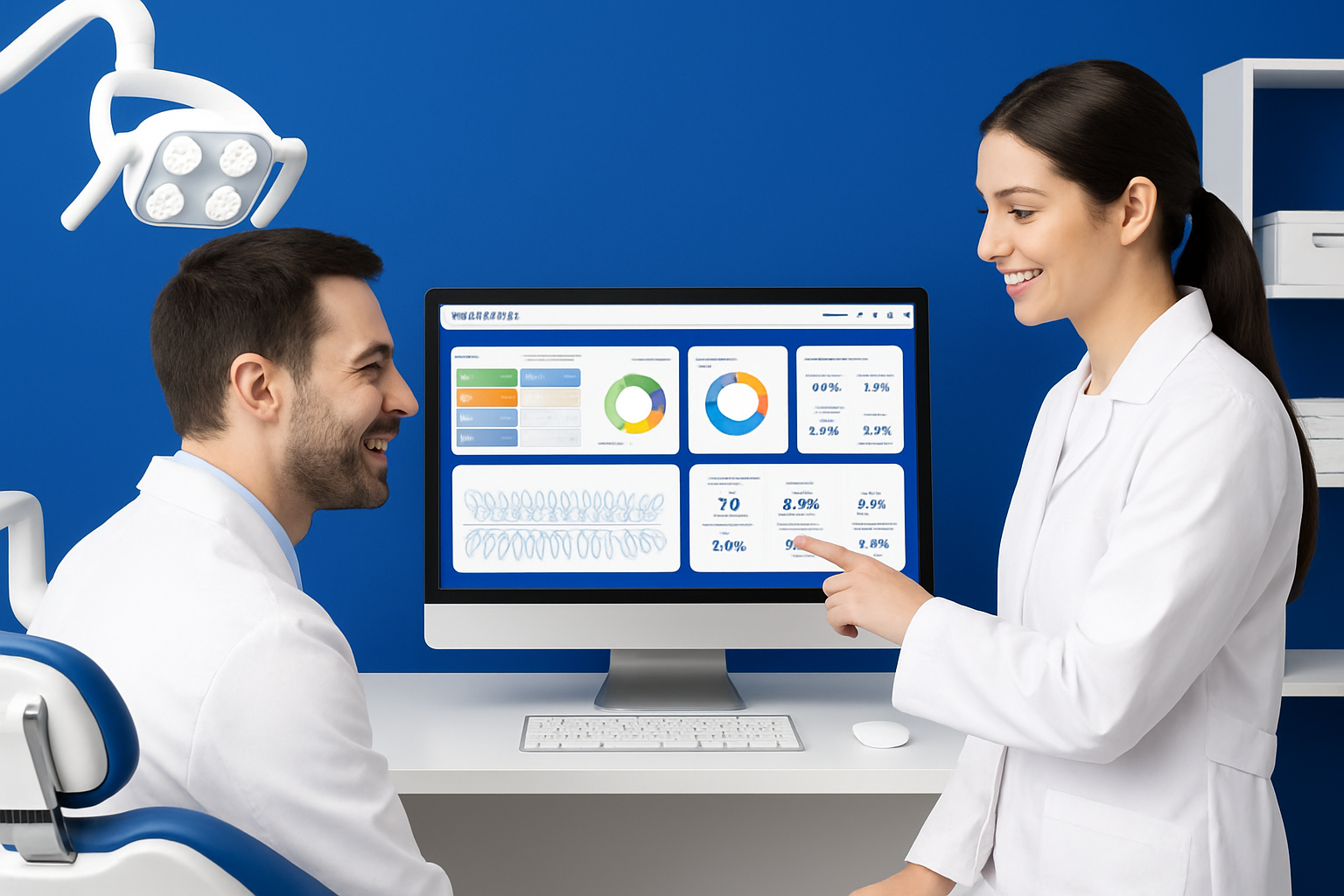
Eaglesoft software began as a desktop-based dental practice management solution in the late 1990s. Over the years, it evolved to meet the technological demands of modern dental offices. By 2024, it had secured a substantial share of the North American dental software market, thanks to its robust features and ongoing updates.
Compared to other platforms, eaglesoft software is often praised for its comprehensive approach. Practices choose it for its balance of clinical tools and business management capabilities. In 2025, it remains a top contender, frequently compared with Dentrix and Open Dental.
| Software | Key Strengths | Market Share (2024) |
|---|---|---|
| Eaglesoft | All-in-one, broad features | 30% |
| Dentrix | Customizability, integrations | 25% |
| Open Dental | Open-source options | 15% |
Core Modules and Functionalities
Eaglesoft software is built around several core modules that simplify daily operations:
- Appointment Scheduling: A color-coded calendar makes booking and rescheduling fast and visual.
- Patient Records: Digital charts, clinical notes, and treatment histories are stored securely.
- Billing and Insurance: Automated claim processing and invoicing reduce manual errors.
- Digital Imaging Integration: Seamlessly connects with imaging devices for quick access to x-rays and photos.
- Reporting and Analytics: Customizable reports help practices track production, collections, and trends.
For a deeper dive into these features and real user feedback, check out the Eaglesoft Features and User Reviews page.
These modules work together to create a cohesive workflow, setting eaglesoft software apart from more fragmented solutions.
Benefits for Dental Practices
Adopting eaglesoft software leads to tangible improvements in dental offices. Workflows become more streamlined, allowing staff to focus on patient care instead of paperwork. Its communication tools foster stronger patient relationships through reminders and follow-ups.
Accurate billing ensures fewer claim denials, which helps boost revenue. The platform is also designed with HIPAA compliance in mind, providing peace of mind about data security and regulatory standards. Many practices see significant time and cost savings within months of implementation.
User Experience and Interface
The user interface of eaglesoft software is modern and intuitive, minimizing the learning curve for new staff. Its dashboard is customizable, letting each team member access tools tailored to their role—whether it's the front desk, hygienist, or dentist.
For practices of all sizes, settings can be adjusted to fit unique workflows. Some versions offer cloud-based access, making it possible to manage operations remotely, which is a huge advantage for multi-location practices.
Real-World Examples
Consider a small dental office that upgraded to eaglesoft software in early 2024. Within six months, they reported a 20% increase in productivity, crediting the system’s efficient scheduling and billing features.
User testimonials frequently highlight how quickly teams adapt, noting that even staff with limited tech experience find the system approachable. Many appreciate the built-in training resources that help everyone get up to speed fast.
Getting Started: Setting Up Eaglesoft for Your Practice
Launching eaglesoft software in your dental practice is a pivotal step toward streamlined operations. From installation to staff onboarding, each stage requires thoughtful planning to ensure a seamless transition. Let’s walk through the essential steps to set your practice up for success.

System Requirements and Installation
Before installing eaglesoft software, verify your hardware and software meet the necessary requirements. Most practices will need Windows 10 or higher, a dedicated server with ample storage, and updated antivirus protection.
Here’s a quick checklist:
- Windows-based PC or server (Windows 10/11)
- 8GB RAM minimum (16GB recommended)
- Reliable internet connection
- Backup and security software
The installation process is straightforward: run the installer, follow the prompts, and connect workstations as needed. For a full step-by-step walkthrough, the Eaglesoft PMS Setup Guide provides detailed instructions and troubleshooting tips to help you avoid common pitfalls.
Initial Configuration
After installation, the next step with eaglesoft software is configuring your system for daily use. Create user accounts for each team member, assigning appropriate permissions based on roles such as dentist, hygienist, or front desk staff.
Import existing patient data if migrating from another system. Most practices can use CSV imports or data conversion services offered by the vendor. Customize settings like appointment types, billing codes, and clinical templates to reflect your unique workflows.
Taking the time to personalize these elements ensures smoother daily operations and a tailored user experience.
Integrating with Existing Tools
Eaglesoft software is designed to connect with a range of dental technologies. Confirm compatibility with your digital imaging devices, such as intraoral cameras or panoramic X-ray machines, before integrating.
Syncing with accounting platforms and communication tools is often as simple as enabling built-in connectors or plugins. This integration centralizes patient information and financial data, reducing manual entry and minimizing errors.
A well-integrated system means your team spends less time switching between applications, boosting overall practice efficiency.
Onboarding and Training Staff
Successful adoption of eaglesoft software hinges on effective staff training. Take advantage of built-in tutorials and support materials available within the platform.
Best practices include:
- Scheduling hands-on training sessions for each role
- Assigning a “super user” as the in-house expert
- Creating a timeline for onboarding (e.g., 2 weeks for a team of 5-10)
Encourage staff to ask questions and explore features in a test environment. Regular check-ins during the first month help reinforce skills and build confidence using the software.
Data Security and Compliance
Protecting patient data is a top priority with eaglesoft software. Set up automatic backups to secure servers or cloud storage from the start.
Ensure all users follow HIPAA-compliant protocols, including strong passwords and role-based access controls. Regularly review audit logs and update security settings as needed.
By prioritizing data security from day one, your practice not only safeguards sensitive information but also builds trust with patients and meets regulatory requirements.
Navigating Eaglesoft: Essential Workflows for Beginners
Mastering the daily workflows in eaglesoft software is key for any dental practice aiming for efficiency in 2025. This section breaks down the most essential processes, making it easy for beginners to navigate, customize, and get the most out of this powerful tool.
Daily Operations and Dashboard Navigation
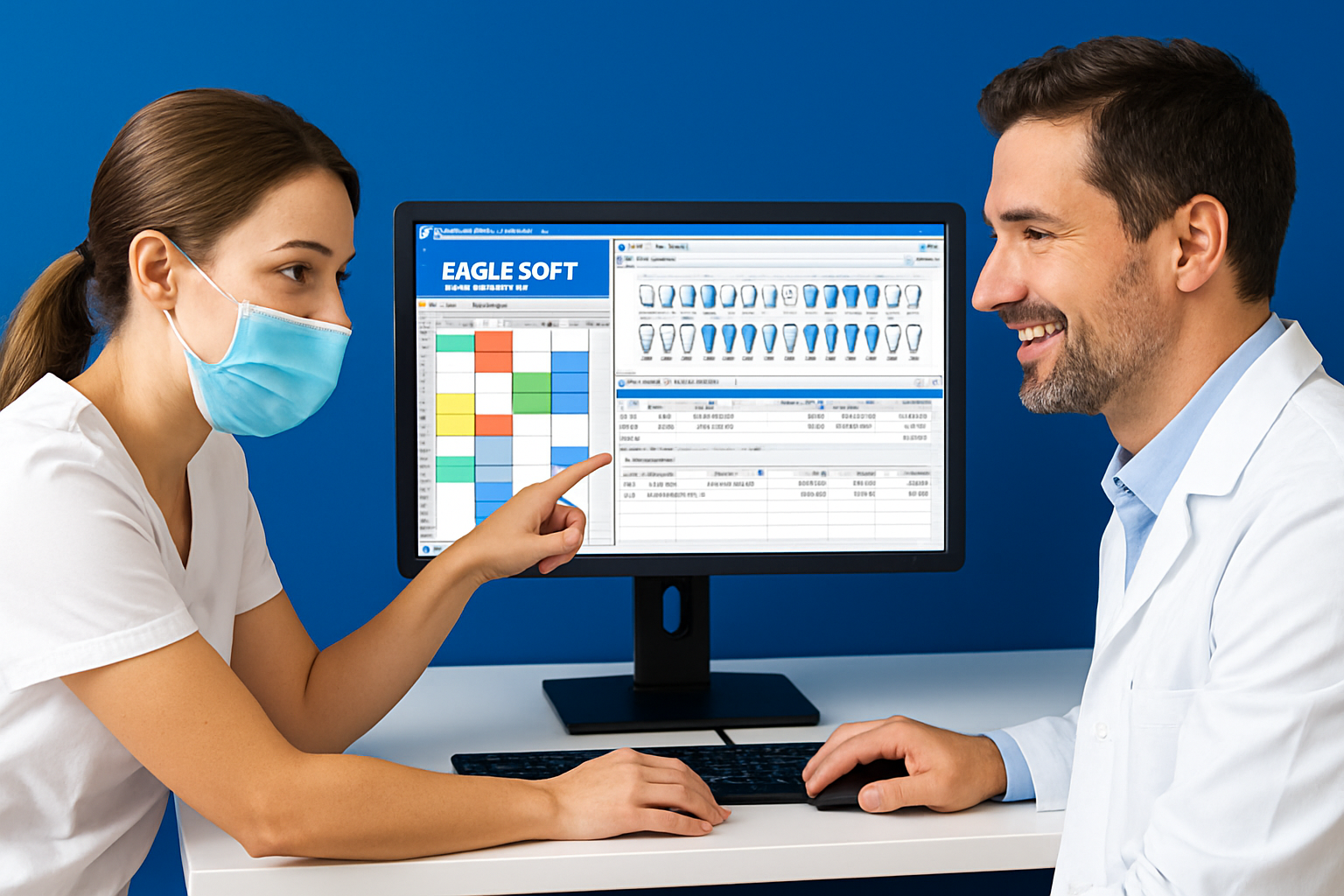
The main dashboard in eaglesoft software is the hub for all daily activities. Its intuitive design allows users to access appointments, patient records, billing, and reports with just a few clicks. Navigation is simple, with tabs and quick-access icons for each module.
Customizing the dashboard for different roles enhances productivity. For example, front desk staff may prioritize scheduling and patient check-ins, while hygienists focus on charting. Dentists can access treatment plans and clinical notes directly from their home screen.
| Role | Dashboard Focus | Common Tasks |
|---|---|---|
| Front Desk | Scheduling, Check-ins | Appointments, Reminders |
| Hygienist | Charting, Imaging | Clinical Notes, Recalls |
| Dentist | Treatment Plans | Review & Approve Charts |
A typical daily workflow for appointment check-ins includes:
- Logging into eaglesoft software and opening the day’s schedule
- Checking in patients as they arrive
- Updating patient status for clinical staff
For a detailed look at the dashboard and its features, the Eaglesoft Dental Practice Management Software official resource offers helpful visuals and descriptions.
Patient Management and Scheduling
Adding new patients or updating existing records is straightforward in eaglesoft software. Simply select "Add Patient," enter the required details, and save. All patient information, from contact details to medical history, is securely stored and easily accessible.
Efficient scheduling is a highlight. Drag-and-drop features let you book, reschedule, or cancel appointments quickly. Automated reminders can be set via text or email, reducing no-shows and keeping your calendar organized.
Key steps for effective scheduling:
- Use color-coding for appointment types
- Set up recurring visits for ongoing treatments
- Enable automated confirmations to improve patient engagement
With eaglesoft software, keeping your patient list current and appointments flowing smoothly becomes second nature.
Charting and Clinical Documentation
Digital charting in eaglesoft software streamlines clinical documentation. Entering notes, treatment plans, and updating progress is done in real time. Templates for common procedures save time and ensure consistency across the team.
For example, charting a standard dental cleaning involves:
- Selecting the patient and opening their chart
- Recording findings and procedures performed
- Adding notes about recommended follow-up care
Using digital tools reduces errors and ensures all clinical data is easily retrievable for future visits. eaglesoft software makes it simple to maintain thorough, accurate records for every patient.
Billing, Insurance, and Claims
Creating invoices and managing billing is highly efficient with eaglesoft software. After a treatment is completed, you can generate an invoice directly from the patient’s chart. Insurance claims are submitted electronically, speeding up reimbursement cycles.
Tracking payment status is clear, with dashboards showing outstanding balances and pending claims. The system also provides alerts for overdue accounts, making follow-ups easier.
Quick tips for billing:
- Set up custom billing templates for common procedures
- Review insurance eligibility before appointments
- Use batch processing to submit multiple claims at once
With eaglesoft software, practices can improve revenue management and reduce administrative headaches.
Reporting and Analytics
Accessing and customizing reports is a breeze with eaglesoft software. Financial, operational, and clinical data are available through built-in analytics tools. These reports help identify trends, monitor performance, and support strategic decisions.
For example, generating a monthly production report can reveal which services are most profitable and where there may be opportunities for growth.
Steps for using analytics:
- Select the desired report template
- Customize filters for date range and provider
- Export results for team review
Using the insights from eaglesoft software analytics enables practices to fine-tune operations and set measurable goals.
Tips, Tricks, and Best Practices for Maximizing Eaglesoft
Looking to get the most out of eaglesoft software in your dental practice? Small adjustments in daily routines can lead to big efficiency gains. From smart customization to effective communication, mastering these tips will help both new and seasoned users streamline their workflow.

Customization and Shortcuts
Personalizing your eaglesoft software dashboard can make everyday tasks faster and more intuitive. Start by setting up custom templates for clinical notes, invoices, and treatment plans. This saves time and ensures consistency across your documentation.
Keyboard shortcuts are a hidden gem. Learn the most frequently used combinations for navigating between modules, entering patient data, and processing billing. For example, batch processing claims or appointment confirmations can free up valuable staff hours. For a deeper look at features and user experiences, check out Eaglesoft Software Reviews and Pricing.
- Use templates for repetitive tasks.
- Memorize shortcuts for navigation and data entry.
- Batch process appointments and billing.
Optimizing Patient Communication
Efficient communication is key to patient satisfaction and retention. Eaglesoft software offers built-in tools for sending appointment reminders via text or email, reducing no-shows and last-minute cancellations.
Set up automated recall messages to remind patients of upcoming cleanings or checkups. Use the communication log to keep track of all patient interactions, ensuring nothing falls through the cracks.
- Enable automated reminders for appointments.
- Schedule follow-ups using recall management.
- Document all communications within the patient record.
Enhancing Team Collaboration
A well-coordinated team can make a huge difference in daily operations. Eaglesoft software allows you to assign tasks directly within the platform and monitor their completion.
Share notes and updates securely among staff members, so everyone stays on the same page regarding patient care and office priorities. Custom user permissions ensure sensitive data is accessible only to the right team members.
- Assign tasks and set deadlines within the software.
- Share clinical notes securely.
- Customize user access based on staff roles.
Staying Up-to-Date with Updates
Regular updates keep your eaglesoft software running smoothly and securely. Check for new versions monthly, as updates often include bug fixes, security enhancements, and new features that can boost productivity.
After installing updates, review key workflows to ensure everything functions as expected. Training staff on new features prevents confusion and maximizes the benefits of the latest tools.
- Schedule routine software update checks.
- Test features after every update.
- Train staff on changes to avoid workflow disruptions.
Common Mistakes to Avoid
Even experienced users can run into trouble if they overlook best practices. Over-customizing layouts or templates may lead to confusion and inefficiency, so keep customization simple and consistent.
Neglecting regular data backups is another critical error. Imagine losing weeks of patient data due to a missed backup—it’s a scenario no practice wants. Establish automated backup routines and verify them regularly.
- Avoid over-complicating templates and workflows.
- Schedule daily data backups.
- Review backup logs to ensure data safety.
By following these best practices, you’ll unlock the full potential of eaglesoft software, making your dental practice more efficient and resilient.
Troubleshooting and Support: Solving Common Eaglesoft Issues
No matter how robust eaglesoft software is, occasional hiccups can slow down your dental practice. Knowing how to solve these common issues quickly is essential for maintaining smooth operations.
Frequent User Challenges
Users of eaglesoft software often encounter a few recurring problems during daily use. Login issues, such as forgotten passwords or account lockouts, can disrupt access. Slow performance, system crashes, and error messages are also common, especially after updates or during peak usage.
Some typical challenges include:
- Trouble accessing the dashboard after an update.
- Delays when loading patient records.
- Error codes during insurance claim submissions.
- The system freezing when handling large files.
Addressing these issues quickly helps keep your workflow efficient and patients happy.
Accessing Support Resources
When you need help with eaglesoft software, several support options are available. The official Eaglesoft support portal offers phone, email, and chat assistance, plus a searchable knowledge base.
You can also turn to:
- Community forums and user groups for peer advice.
- Video tutorials for step-by-step solutions.
- Social media groups for fast tips and shared experiences.
Exploring these resources can resolve most questions before they become major disruptions.
DIY Fixes and When to Call Support
Not every eaglesoft software issue requires expert intervention. Many problems can be solved in-house with a few simple steps:
- Restart the software and your computer to clear temporary glitches.
- Check for software updates that might address known bugs.
- Review error messages and consult the knowledge base for solutions.
- Reset passwords using built-in recovery tools.
If these DIY fixes don’t work or the issue affects multiple users, it’s time to contact official support. Escalate problems such as repeated crashes, data corruption, or failed backups promptly.
Preparing for Software Updates and Migrations
Before applying any update to eaglesoft software, always back up your data. Regular backups protect your practice from unexpected data loss or compatibility issues after a major upgrade.
Key steps to prepare include:
- Scheduling updates outside of business hours.
- Testing new features in a safe environment before going live.
- Reviewing update notes for known issues and solutions.
After updating, verify that all core functions are stable and data is intact. Following these steps ensures your practice remains secure and operational.
Essential Resources and Learning Pathways for Eaglesoft Beginners
Getting started with eaglesoft software is easier when you know where to look for help. A wealth of resources is available to guide you from your first login to advanced skills.
Whether you’re seeking official training, community support, or the latest industry updates, there’s a learning pathway tailored to your needs.
Official Training and Certification Programs
The best way to master eaglesoft software is through its official training programs. Patterson Dental, the developer, offers comprehensive beginner modules that walk you through setup, navigation, and daily tasks.
You can opt for live webinars, interactive workshops, or on-demand video tutorials. For those seeking validation of their skills, Eaglesoft provides certification options for both staff and administrators. Achieving certification not only builds confidence but can streamline onboarding for new hires.
Most practices find that structured training reduces learning curves and boosts daily efficiency. Make sure to explore the latest course catalogs to stay current with software updates and changes.
User Communities and Peer Support
Connecting with other users of eaglesoft software can accelerate your learning. Online forums, such as the Patterson Dental Community, let you ask questions, share troubleshooting tips, and learn from real-world experiences.
Social media groups on Facebook and LinkedIn are active spaces for networking and advice. Local user meetups and conferences also provide opportunities for hands-on demonstrations and peer-to-peer support.
Many users find these communities invaluable for staying motivated and solving unique workflow challenges. Engaging with peers ensures you never feel stuck on your journey.
Recommended Reading and Tutorials
Supplement your knowledge of eaglesoft software with curated guides and tutorials. Blogs like Dental Product Shopper and Dental Economics often publish step-by-step walkthroughs and best practices.
YouTube channels, such as Patterson Dental’s official channel, feature video tutorials covering everything from patient charting to billing workflows. Bookmarking these resources ensures you always have a reference at hand.
Exploring a mix of written and video content helps reinforce concepts and caters to different learning styles.
Staying Informed on Industry Trends
To get the most from eaglesoft software, stay updated on dental technology and regulatory changes. Subscribe to newsletters like Dentistry Today and ADA News for the latest industry developments.
These updates can influence how you use your software, particularly regarding HIPAA compliance and new digital tools. Attending webinars and reading whitepapers keeps you ahead of the curve.
By staying informed, your practice can adapt quickly and leverage all the benefits eaglesoft software has to offer.