The digital revolution is transforming dentistry at lightning speed, making cutting-edge CAD/CAM tools essential for staying competitive. At the heart of this shift is exocad dental software, designed to help dental professionals thrive in the era of digital dentistry.
This guide will empower you to master digital workflows in 2026 using exocad dental software. You will discover key features, step-by-step processes, integration tips, real-world benefits, and expert strategies for maximizing your investment.
Ready to stay ahead of the curve? Explore how exocad dental software can streamline your workflow, boost patient satisfaction, and future-proof your practice or lab.
Understanding Exocad Dental Software: Core Features and Advantages
Digital dentistry is evolving at lightning speed, and exocad dental software is at the front of this transformation. Dental professionals around the globe rely on Exocad for its flexibility, speed, and open integration. But what makes this software stand out, and how does it empower labs and clinics to thrive in 2026?
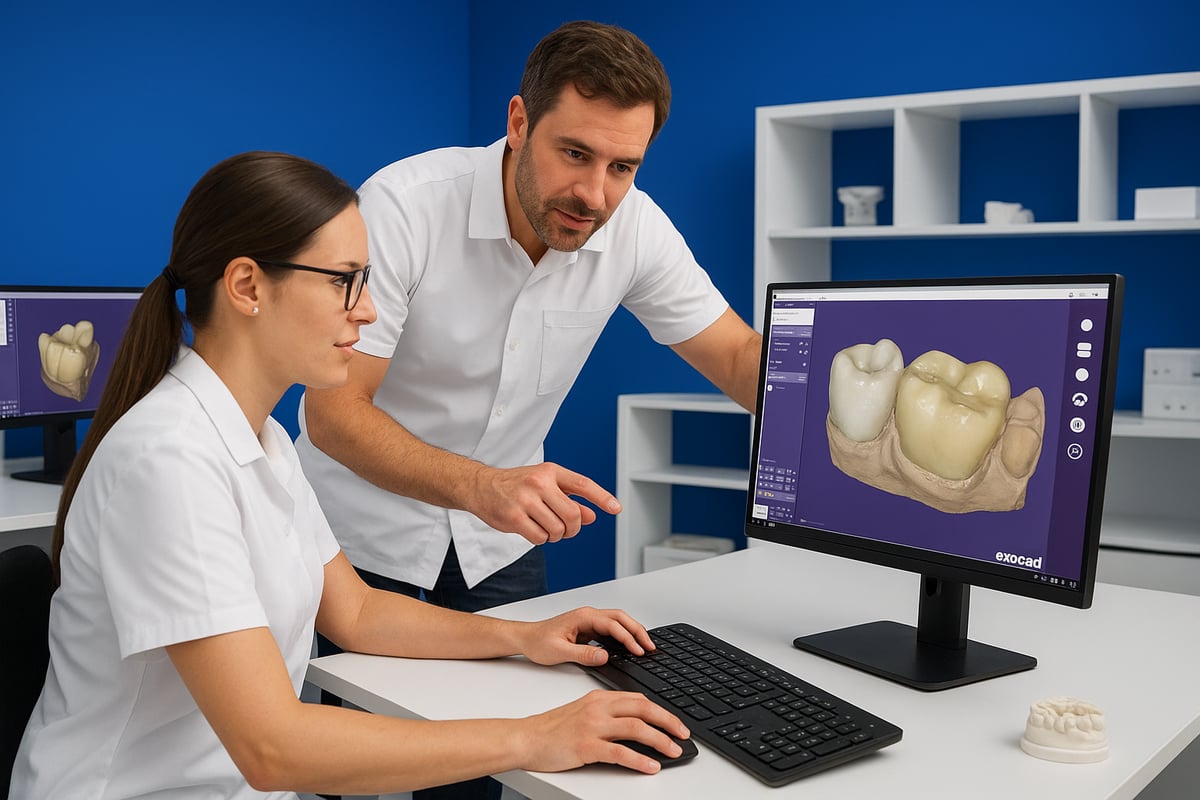
What is Exocad?
Exocad dental software started as a spin-off from the Fraunhofer Institute in Germany, quickly gaining traction for its open, flexible approach to dental CAD/CAM. The company’s mission centers on empowering dental professionals with innovative, easy-to-use digital solutions.
Today, exocad dental software is a global leader, with a strong presence in labs, clinics, and among dental technicians. Its open architecture attracts users who need robust digital workflows without being locked into specific hardware or restrictive ecosystems.
Exocad’s user base includes small boutique labs, large-scale production centers, and forward-thinking dental clinics. This wide adoption speaks to its adaptability and the trust placed in its platform.
Key Features of Exocad Dental Software
The core strength of exocad dental software lies in its modular design. Users can start with a powerful foundation and add modules like Implant, Model Creator, or Smile Creator as their needs grow. The intuitive interface makes onboarding smooth, even for those new to digital design.
Restoration options are virtually limitless—crowns, bridges, veneers, inlays, onlays, and dentures can all be designed with precision. Advanced 3D modeling, real-time previews, and AI-powered automation make complex cases manageable and efficient.
Compatibility is another key advantage. Exocad supports a wide range of scanners and milling machines, allowing seamless integration into existing lab or clinic setups. For an in-depth look at these capabilities, the Exocad DentalCAD Features page offers detailed information.
Advantages Over Competing Dental CAD Software
What sets exocad dental software apart from closed systems? Its open system philosophy lets users choose their preferred scanners, printers, and materials. This flexibility reduces costs and prevents vendor lock-in, which is vital for growing practices.
Licensing is refreshingly straightforward. Exocad offers cost-effective, modular options, so users pay only for what they need. Speed and reliability are hallmarks, especially when handling complex, multi-unit cases. Seamless integration with third-party tools means labs and clinics can build the digital workflow that suits them best.
Regular updates keep exocad dental software at the cutting edge, while an active user community ensures help and inspiration are always close at hand. These advantages have helped Exocad become a benchmark for digital dentistry.
Exocad in Numbers: Usage and Market Data
Exocad dental software boasts more than 50,000 installations worldwide, with steady adoption growth from 2020 to 2026. User satisfaction remains high, often praised for its balance of power and usability.
The user community’s feedback highlights strong reliability and technical support. Exocad’s strategic partnerships with leading hardware manufacturers further cement its place in the global market.
| Metric | Value/Trend |
|---|---|
| Global Installations | 50,000+ |
| Adoption Rate (2020-2026) | Consistent growth |
| User Satisfaction | 4.7/5 (average rating) |
| Key Partnerships | Major scanner & CAM manufacturers |
Dental professionals trust exocad dental software to future-proof their digital workflows and deliver top-tier results to patients.
Step-by-Step Workflow: Mastering Exocad in the Digital Dental Lab
Digital dental labs thrive on streamlined workflows, and mastering each step with exocad dental software is essential for success. Let’s break down the complete process, from capturing data to delivering patient-ready restorations.
Step 1: Scanning and Data Acquisition
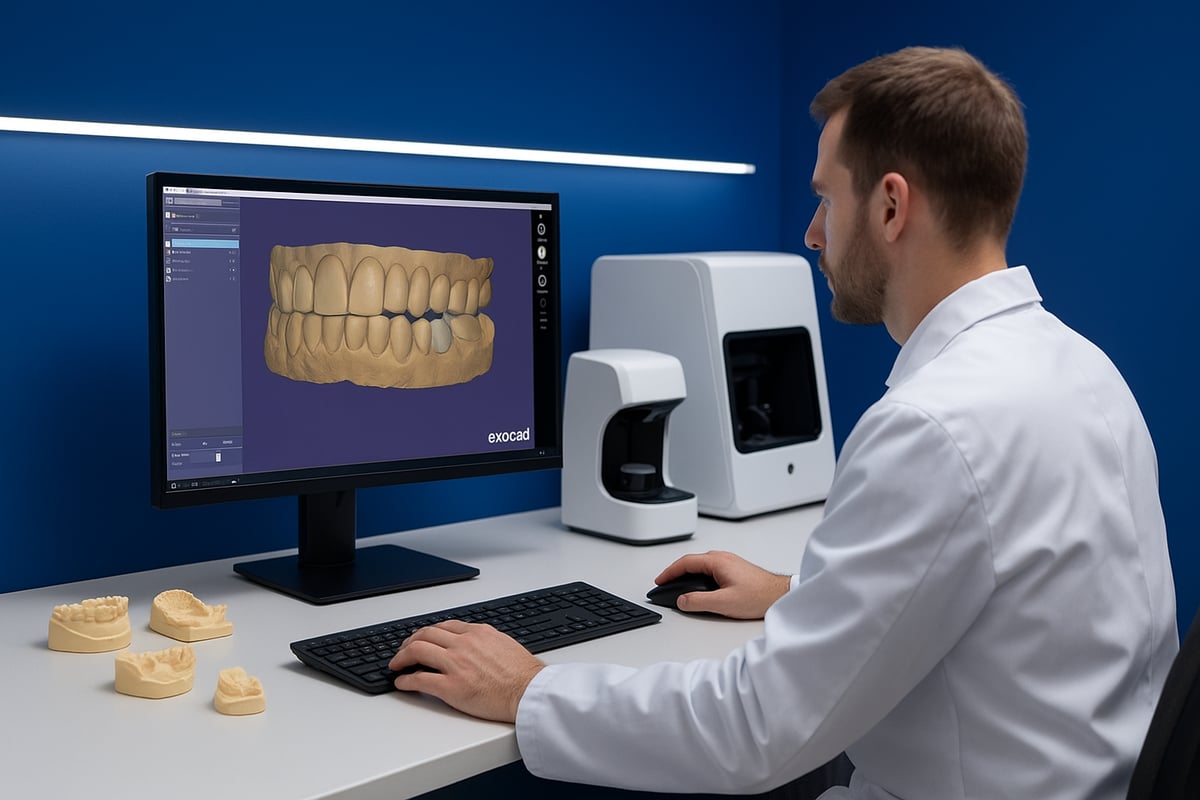
The first step in any exocad dental software workflow is capturing accurate dental impressions. Labs and clinics can use intraoral or desktop scanners, which are widely supported thanks to Exocad’s open architecture. This flexibility allows you to choose from leading brands and models, ensuring seamless integration with your existing equipment. For more details on compatible devices and integration, visit Exocad Scanner Integration.
Best practices for this phase include ensuring the scanner is calibrated, capturing all critical anatomical features, and minimizing artifacts. Exocad dental software supports common file formats such as STL, PLY, and OBJ, making it easy to import high-quality scans and get started quickly.
Step 2: Case Setup and Design Planning
Once your scan is complete, exocad dental software makes case setup straightforward. Import patient data and manage cases efficiently using the software’s intuitive interface. You can specify restoration types—crowns, bridges, veneers, or full dentures—and set parameters based on clinical requirements.
Digital libraries within exocad dental software offer a wide variety of teeth, implant systems, and restorative materials. This ensures clinicians and technicians can select the ideal components for each case, tailoring the digital workflow to the patient’s needs. Organizing cases with clear naming conventions and metadata further streamlines collaboration between lab and clinic.
Step 3: Designing Restorations with Exocad
The real power of exocad dental software shines during the design phase. Start by defining margin lines, adjusting contact points, and establishing proper occlusion. The software’s advanced 3D visualization tools allow you to view the restoration from every angle, ensuring a precise fit.
Take advantage of anatomical libraries to customize shape and esthetics, whether you’re designing a single crown or a full-arch bridge. Real-time previews show immediate results of your adjustments, making it easier to meet clinical expectations. Automation and AI-powered suggestions in exocad dental software can also help optimize the design, reduce manual adjustments, and maintain consistency across cases.
In complex cases, use simulation features to test function and esthetics before fabrication. This step is crucial for achieving predictable, high-quality outcomes and building patient confidence in digital dentistry.
Step 4: Add-On Modules for Specialized Cases
Exocad dental software offers modular add-ons to tackle specialized cases. Smile Creator enables digital smile design, allowing for photorealistic previews and patient consultations. The Implant Module supports implant planning and custom abutment design, while Model Creator and Partial Framework modules expand your capabilities for removable prosthetics and orthodontic appliances.
These modules are seamlessly integrated, so you can extend core functionality as your practice or lab grows. Choosing the right add-ons ensures exocad dental software adapts to your workflow, whether you’re handling routine cases or complex rehabilitations.
Step 5: Manufacturing and Output
After finalizing your designs, exocad dental software streamlines the manufacturing process. Export restoration files in the correct format for milling, 3D printing, or outsourcing. The software is compatible with leading CAM platforms and dental machines, ensuring accurate, reproducible results.
Direct integration with production equipment reduces manual data entry, minimizes errors, and speeds up turnaround times. By leveraging exocad dental software’s open system, labs and clinics can maintain flexibility and adapt to new manufacturing technologies as they emerge.
Step 6: Quality Control and Final Adjustments
Before fabrication, use exocad dental software’s digital verification tools to check fit, contacts, and occlusion. Make iterative adjustments as needed, ensuring each restoration meets clinical and esthetic standards.
Documentation and reporting features within exocad dental software facilitate communication with clinicians and maintain a clear audit trail for every case.
Step 7: Delivery and Clinical Integration
The final step in the workflow is seamless delivery and integration with the clinical team. Exocad dental software supports digital communication, allowing clinicians to review, approve, or suggest adjustments before manufacture.
Chairside applications enhance patient engagement, providing visualizations of proposed restorations. A feedback loop between lab and clinic powered by exocad dental software ensures continuous improvement and consistent, high-quality results.
Integrating Exocad with Other Digital Dentistry Tools
Digital dentistry thrives on seamless integration. Exocad dental software stands out by connecting effortlessly with a wide array of modern dental technologies. This connectivity ensures a smooth workflow from patient scan to final restoration, empowering dental professionals to deliver precise results while keeping pace with innovation.
Compatibility with Scanners and Imaging Devices
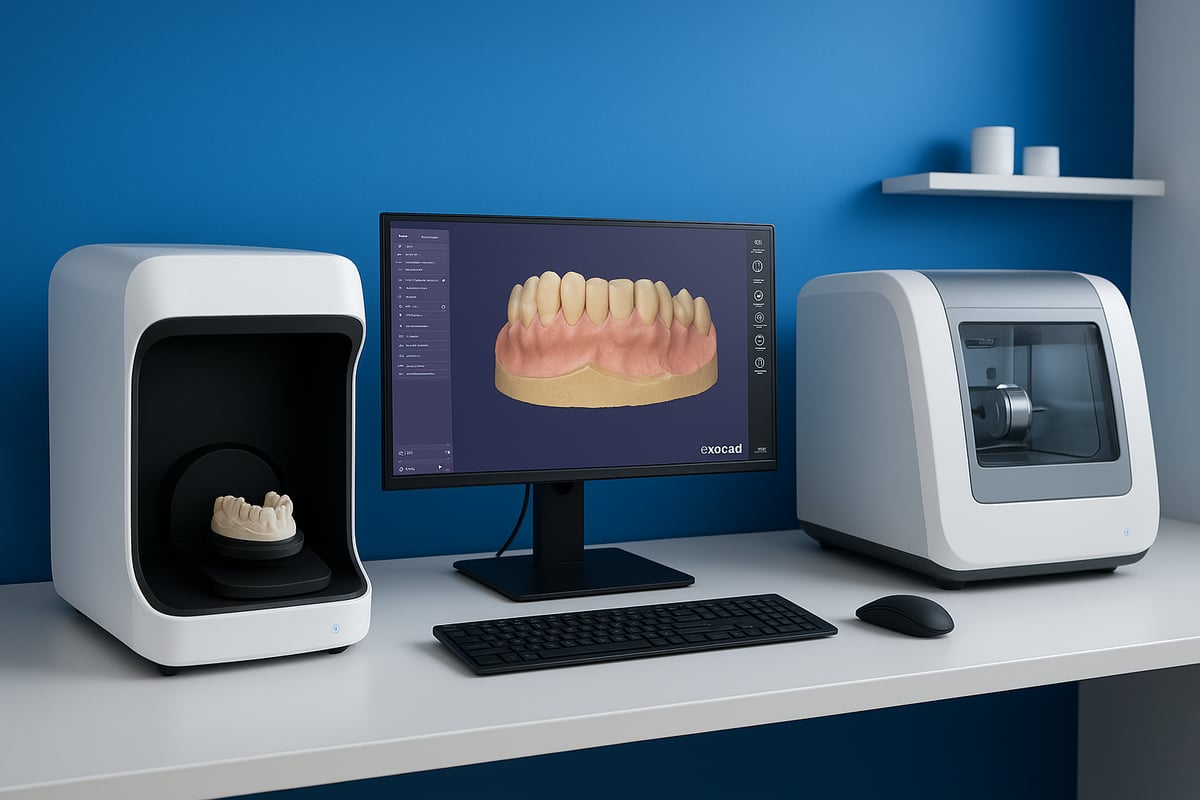
Exocad dental software is designed with open architecture, allowing it to connect with a broad range of scanners and imaging devices. Brands like 3Shape, Medit, and others are supported, ensuring labs and clinics can use their preferred equipment without compatibility concerns.
This flexibility means you can integrate intraoral and desktop scanners into your workflow. The open system approach encourages multi-vendor setups, letting you choose the best tools for your needs. As a result, exocad dental software adapts easily to the evolving landscape of digital dentistry, making device integration straightforward.
Seamless Connection to CAM/Milling Systems
A key advantage of exocad dental software is its robust compatibility with various CAM systems, milling machines, and 3D printers. Whether you work with Roland, Amann Girrbach, or other leading manufacturers, exocad dental software supports direct-to-production workflows.
This minimizes errors during file transfer and boosts manufacturing accuracy. By exporting standard file formats like STL, exocad dental software makes it easy to send designs for milling, printing, or outsourcing. This seamless connection ensures your digital dental lab operates efficiently, speeding up turnaround times and reducing manual steps.
Cloud and Data Management Solutions
Managing digital dental data securely is essential. Exocad dental software offers cloud-based services for collaboration, backup, and data sharing between labs and clinics. This cloud integration streamlines communication and ensures everyone has access to the latest case files.
All data transfers are encrypted, supporting GDPR and HIPAA compliance. With exocad dental software, you can set up automated backups and share files securely, protecting patient privacy while maintaining workflow flexibility. The result is a digital workflow that is both efficient and secure.
Third-Party Software and AI Integrations
Modern practices benefit from using exocad dental software alongside imaging, orthodontic, and practice management platforms. AI-powered tools can be integrated for advanced diagnostics and case planning, enhancing the capabilities of your digital workflow.
For a deeper look at how digital imaging and AI tools connect with exocad dental software, check out Imaging and Clinical AI Tools. These integrations help automate routine tasks, support better decision-making, and improve case outcomes. Staying connected with third-party solutions ensures your practice remains at the forefront of digital dentistry.
Future-Proofing Your Digital Workflow
Exocad dental software is built for scalability. As your lab or clinic grows, the platform can adapt, supporting new devices and emerging technologies. Regular software updates introduce new features, including advancements in AI and automation.
By investing in exocad dental software, you prepare your workflow for future demands. Staying current with release roadmaps and industry trends means your digital dentistry setup will remain competitive, efficient, and ready for whatever comes next.
Real-World Benefits: How Exocad Transforms Dental Practices and Labs
Digital dentistry is reshaping how dental labs and clinics operate. Choosing exocad dental software brings measurable improvements to daily workflows, patient care, and business growth. Let’s explore the real-world benefits that set exocad dental software apart for practices and labs in 2026.
Enhanced Efficiency and Productivity
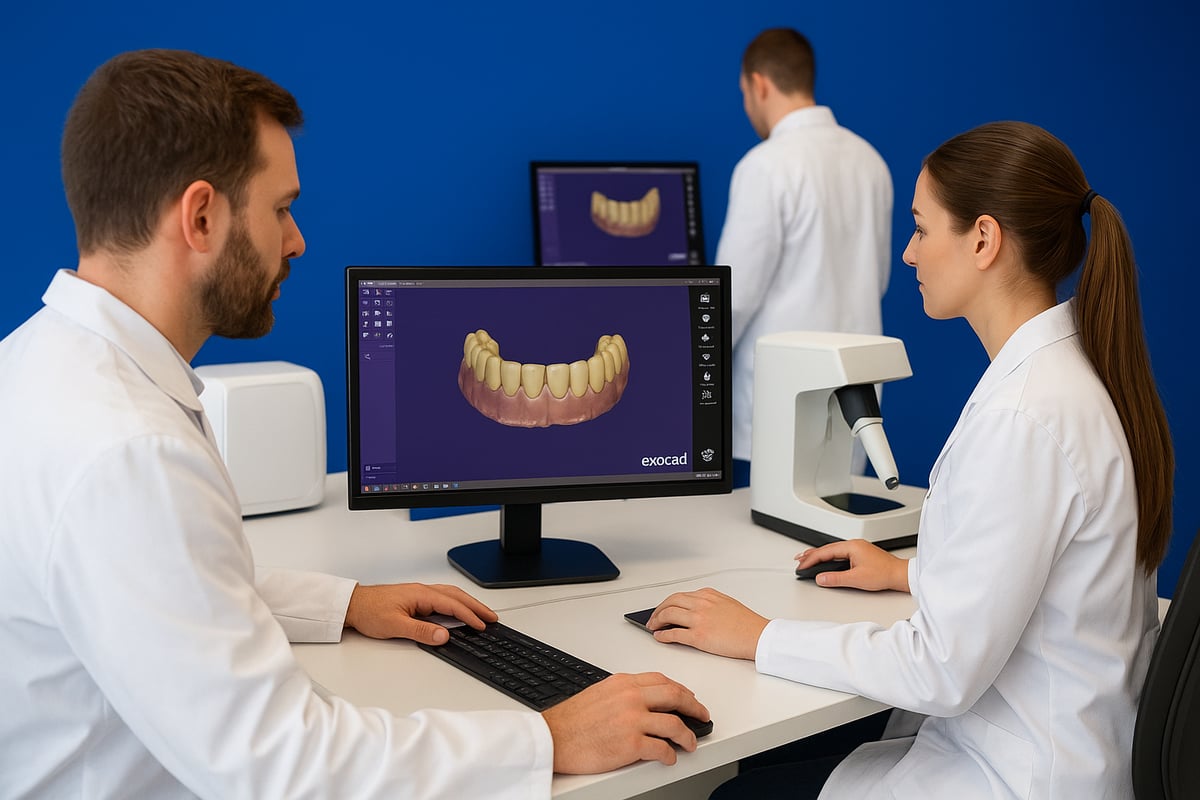
Labs and clinics using exocad dental software experience a remarkable boost in efficiency. By automating repetitive design steps, exocad dental software reduces manual tasks and streamlines case management.
Communication between dental teams becomes smoother, as digital files are easily shared and updated in real time. This leads to faster turnaround, less chairside time, and happier patients.
- Automated design tools cut down on labor hours
- Seamless digital handoff between lab and clinic
- Faster delivery from scan to restoration
With exocad dental software, practices can handle more cases without sacrificing quality.
Improved Clinical Outcomes and Patient Experience
The precision of exocad dental software ensures consistently high-quality restorations. Digital smile design tools help clinicians visualize and plan esthetic outcomes, which increases patient satisfaction and case acceptance.
Patients benefit from more predictable treatments and fewer adjustments. Exocad dental software supports a wide range of restorative procedures, helping dental teams deliver the best possible care.
- Highly accurate fits and margins
- Digital simulations for better communication
- Case studies show increased patient trust and engagement
These clinical gains are a direct result of exocad dental software’s advanced capabilities.
Cost Savings and Return on Investment
Investing in exocad dental software delivers real cost savings. Its modular licensing means practices only pay for features they need, avoiding unnecessary expenses. Compared to other dental CAD solutions, exocad dental software offers a lower total cost of ownership.
Labs and clinics see a quick return through reduced remake rates, less wasted material, and more efficient workflows. For those comparing options, Dental Software Reviews and Comparisons provides detailed breakdowns of costs and features to support smart investment decisions.
- Lower upfront and ongoing costs
- Scalable modules to fit any budget
- Data-driven proof of ROI for labs and clinics
Exocad dental software empowers practices to grow profitably in a competitive market.
Customization and Flexibility for Diverse Needs
No two dental teams are alike, so exocad dental software is built for adaptability. Its open architecture supports a variety of workflows, from single crowns to full-arch cases.
General dentists, specialists, and orthodontists can all tailor exocad dental software to their unique requirements. The software integrates with leading scanners and devices, making it easy to fit into any existing setup.
- Flexible workflows for different specialties
- Support for complex and simple cases
- Examples of custom lab configurations
The ability to customize exocad dental software ensures every practice gets a perfect fit.
Staying Competitive in the Digital Dentistry Landscape
Staying ahead in dentistry means adopting technologies that meet patient expectations. Exocad dental software gives practices the digital tools needed to stand out, attract referrals, and deliver outstanding care.
Leading dental professionals report increased case acceptance and higher patient satisfaction after switching to exocad dental software. By leveraging advanced digital features, practices remain relevant and resilient as the dental industry evolves.
- Meet rising patient demand for digital solutions
- Differentiate your practice with cutting-edge care
- Real testimonials highlight transformative impact
Exocad dental software keeps dental teams at the forefront of digital dentistry.
Tips, Best Practices, and Advanced Strategies for Exocad Power Users
Mastering exocad dental software requires more than just understanding the basics. Power users know that optimizing workflows, troubleshooting smartly, and staying ahead of trends can transform both lab productivity and clinical outcomes. Explore advanced strategies below to elevate your digital dentistry game.
Optimizing Workflow Efficiency
Efficiency is the backbone of successful digital labs. To get the most from exocad dental software, start by customizing keyboard shortcuts and templates. Set up default workflows for common restoration types, so repetitive tasks become automatic.
Batch processing is a game changer for high-volume labs. With exocad dental software, you can process multiple cases simultaneously, reducing turnaround times. Use digital tooth libraries and pre-set parameters to minimize manual adjustments.
Consider integrating with a Dental Charting Program Guide to centralize patient data and streamline case management. Small optimizations like these add up, saving hours each week and boosting productivity.
Troubleshooting Common Issues
Even the best exocad dental software users encounter hiccups. File import or export errors often arise from incompatible formats or outdated software versions. Always double-check supported file types and keep your system updated to avoid these pitfalls.
Scanner and hardware compatibility can sometimes cause delays. If you experience issues, review your scanner's calibration and connection settings. Exocad dental software supports a wide range of devices, but firmware updates may be necessary for seamless integration.
For persistent challenges, tap into Exocad’s active user forums and support resources. Many users share step-by-step solutions, making troubleshooting faster and less stressful.
Leveraging Add-On Modules to Expand Capabilities
One of the biggest strengths of exocad dental software is its modular design. Add-on modules like Smile Creator, Partial Framework, and Model Creator allow you to handle complex cases with ease.
When considering an upgrade, evaluate your practice’s needs. For example, the Exocad Implant Module Overview highlights features for implant planning and custom abutment design, expanding restorative options for implant cases.
Integrate new modules gradually. Test them with straightforward cases before applying them to advanced workflows. This approach ensures a smooth learning curve and maximizes return on investment.
Training, Certification, and Continuing Education
Continuous learning is essential for staying competitive. Exocad dental software offers official training programs and certification courses for both beginners and advanced users. These programs cover best practices, new features, and troubleshooting tips.
Online resources, including video tutorials, forums, and webinars, make it easy to learn at your own pace. Many labs schedule regular training sessions to keep their teams up to date on the latest exocad dental software releases and techniques.
Investing in education not only boosts efficiency but also ensures consistent, high-quality results across your team.
Data Security and Compliance Best Practices
Protecting patient data is non-negotiable in digital dentistry. Exocad dental software includes secure backup options and supports encrypted cloud storage for peace of mind. Make it a habit to regularly back up case files and check for software updates that address security vulnerabilities.
Compliance is just as important as security. Ensure your workflows meet HIPAA and GDPR requirements by reviewing your data storage and sharing protocols. For comprehensive digital workflow solutions, consult Dental Charting Program Guides for best practices in secure charting and case management.
A proactive approach to security keeps your practice safe and maintains patient trust.
Preparing for the Future: AI, Automation, and Beyond
The future of digital dentistry is powered by AI and automation. Exocad dental software continues to evolve, with upcoming features that promise even smarter case planning and design. Stay informed about new tools and updates by subscribing to official release notes and participating in user community discussions.
Adopting automation now, such as AI-driven margin detection or real-time 3D simulation, will give your lab or clinic a competitive edge. As digital workflows become more advanced, being an early adopter ensures you are prepared for whatever comes next in the world of exocad dental software.