Digital smile design is rapidly transforming modern dentistry, making personalized, aesthetic results more accessible than ever. As patient expectations rise, dental professionals are turning to advanced tools like exocad smile design to deliver accuracy and artistry in every case.
This guide is your step-by-step roadmap to mastering exocad smile design in 2025. Inside, you'll find everything you need: a software overview, system requirements, preparation strategies, detailed workflow, advanced customization, integration tips, and expert advice.
Ready to elevate your digital dentistry skills? Follow this comprehensive guide and unlock a new level of precision for you and your patients.
Understanding Exocad Smile Design: Features & Benefits
Digital smile design is transforming dentistry, making patient outcomes more predictable and visually stunning. At the forefront of this evolution is exocad smile design, a platform trusted by dental professionals worldwide. To understand why it’s leading the digital revolution, let’s break down its definition, features, benefits, and how it stands out in 2025.
What Is Exocad Smile Design?
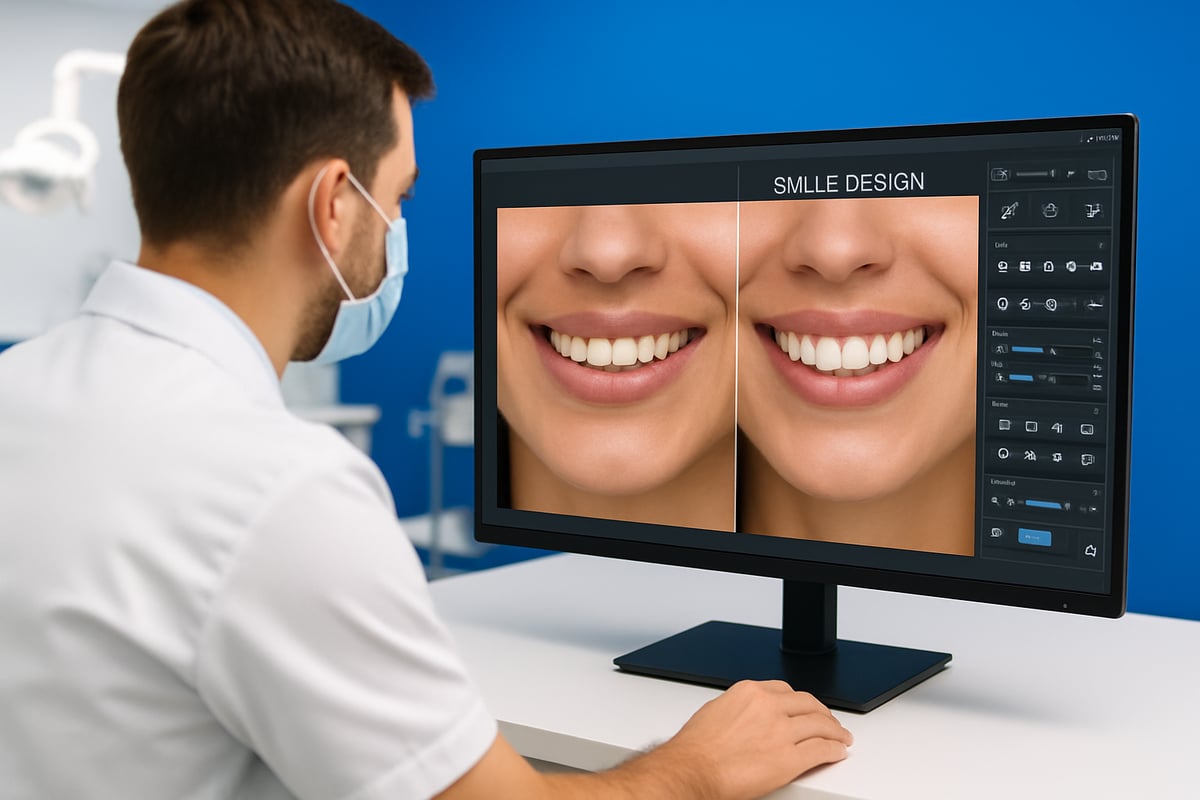
Exocad smile design is a specialized dental software solution that empowers clinicians to create, visualize, and communicate treatment plans digitally. Launched as part of Exocad’s broader CAD/CAM suite, it has gained a strong reputation thanks to its precision and adaptability. Over the years, exocad smile design has evolved with enhanced AI, improved imaging, and seamless integration into clinical workflows.
Dentists use exocad smile design for cosmetic cases, restorative planning, and to engage patients visually. Whether you’re redesigning a smile or planning a complex restoration, this tool bridges the gap between clinical expertise and patient expectations.
Core Features and Capabilities
What makes exocad smile design stand out? It offers an intuitive user interface that streamlines the workflow for every case. The platform leverages AI-powered smile simulation, delivering instant 2D and 3D visualizations to help clinicians and patients preview outcomes.
Key features include:
- A comprehensive library of dental shapes and morphologies.
- Seamless integration with intraoral scanners and imaging devices.
- Customizable templates to match individual patient needs.
To explore the full range of capabilities, visit the Exocad Smile Creator Features page for detailed insights.
From the first scan to the final design, exocad smile design provides the flexibility and technology modern dentistry demands.
Benefits for Dentists and Patients
The impact of exocad smile design is felt by both clinicians and patients. For dentists, it means enhanced treatment planning accuracy and greater predictability in results. Visual communication boosts patient understanding and acceptance, making it easier to gain consent for proposed treatments.
Benefits include:
- Streamlined collaboration with dental teams and labs.
- Faster turnaround times for restorative cases.
- Improved patient satisfaction through engaging visual previews.
A recent case study shows one practice increased case acceptance by 30% after implementing digital smile previews with exocad smile design. The confidence patients gain from seeing their future smile often leads to more accepted cases and positive word-of-mouth.
Exocad in the 2025 Digital Dentistry Landscape
Looking ahead to 2025, exocad smile design continues to lead with AI integration, cloud-based workflows, and a patient-centric design philosophy. Compared to competitors like 3Shape and DSDApp, exocad smile design is praised for flexibility and open-system compatibility.
| Solution | AI Integration | Cloud Workflow | Open System | Projected Adoption (2025) |
|---|---|---|---|---|
| Exocad | Yes | Yes | Yes | 60% |
| 3Shape | Yes | Partial | No | 50% |
| DSDApp | Yes | Yes | No | 45% |
Industry forecasts reveal that by 2025, over 60% of dental clinics are expected to adopt digital smile design tools, with exocad smile design remaining a top choice for forward-thinking practices.
System Requirements & Initial Setup
Setting up exocad smile design for the first time is a crucial step toward unlocking the full potential of digital dentistry in your practice. Ensuring your hardware, software, and workflow are ready will help you avoid headaches and maximize efficiency.
Hardware and Software Prerequisites
For exocad smile design to run smoothly, your computer must meet specific requirements. The minimum setup usually includes an Intel i5 or AMD Ryzen 5 CPU, 8GB RAM, and a dedicated GPU (NVIDIA GTX 1050 or better). For best performance, especially with 3D visualization, upgrade to an i7/Ryzen 7 CPU, 16GB+ RAM, and an NVIDIA RTX series GPU.
Supported operating systems are Windows 10 or 11 (64-bit). A high-resolution monitor (at least 1920×1080) is vital for precise smile design work. Touchscreen devices can add convenience, but are not mandatory.
Before investing, consider reading Dental software reviews overview to compare exocad smile design with other leading solutions, ensuring your equipment can handle future updates.
Installation and Licensing Process
Installing exocad smile design is straightforward. Download the installer from the official source, then run the setup file. Follow the on-screen prompts to complete installation. Choose between a perpetual license (one-time fee) or a subscription model, depending on your practice’s needs.
Activation requires your license key, which you’ll enter during the first launch. Regular software updates are essential for security and access to new features. Enable auto-updates if available, or check for updates manually each month to ensure exocad smile design stays current.
Integrating with Existing Dental Equipment
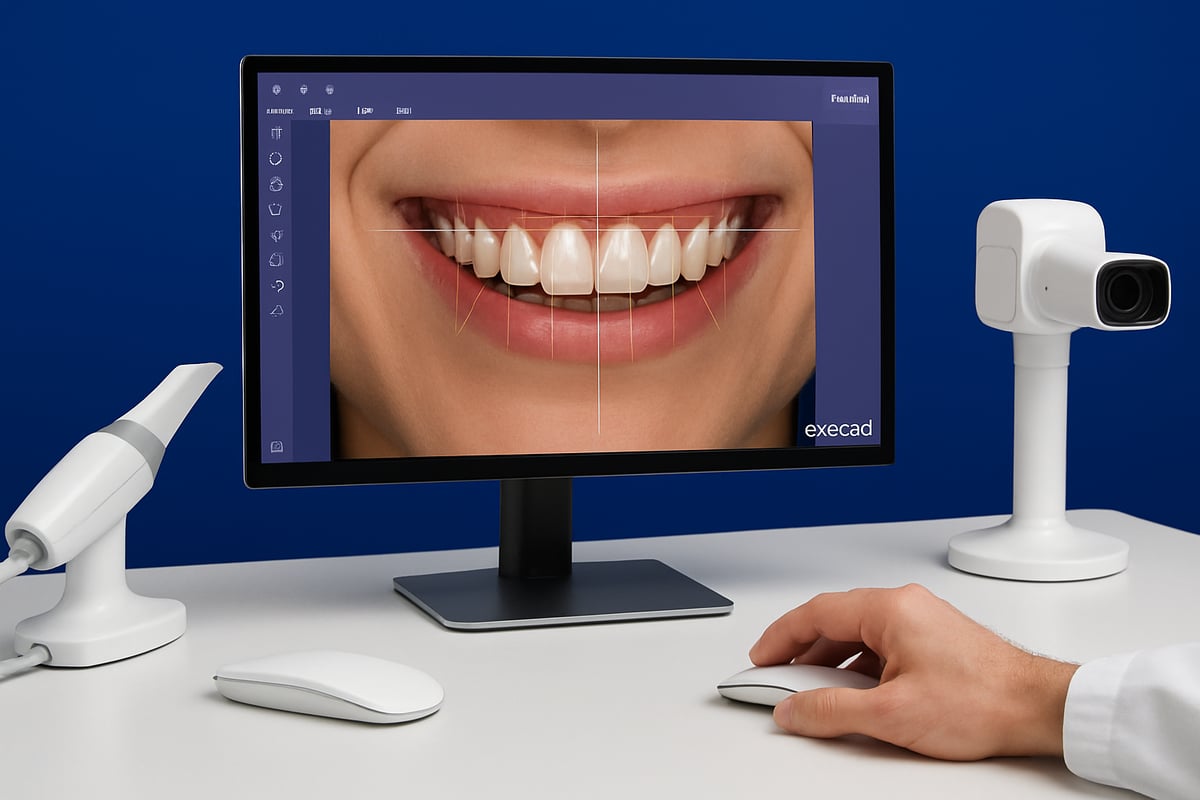
Exocad smile design supports a wide range of intraoral scanners, cameras, and imaging devices. Devices like Medit, iTero, and 3Shape scanners connect seamlessly, letting you import STL, PLY, or DICOM files directly.
Common data formats include:
- STL (surface scans)
- PLY (color 3D scans)
- DICOM (radiographs/CBCT)
This integration allows you to build a workflow where scans and images move efficiently from acquisition to design. For best results, calibrate your devices and test file compatibility before starting your first exocad smile design project.
Setting Up Your First Project
Begin by creating a new project and entering patient data—name, case type, and relevant notes. Import all required imaging and scan files.
Organize your case files in labeled folders for easy retrieval and collaboration. This approach ensures your exocad smile design workflow stays efficient as your digital dentistry practice grows.
Preparing for a Successful Smile Design Case
Getting ready for a successful exocad smile design case starts well before you launch the software. The right preparation ensures accuracy, patient satisfaction, and smooth workflow. Let’s break down the essentials for setting up your digital smile design cases with confidence.
Patient Records and Imaging Protocols
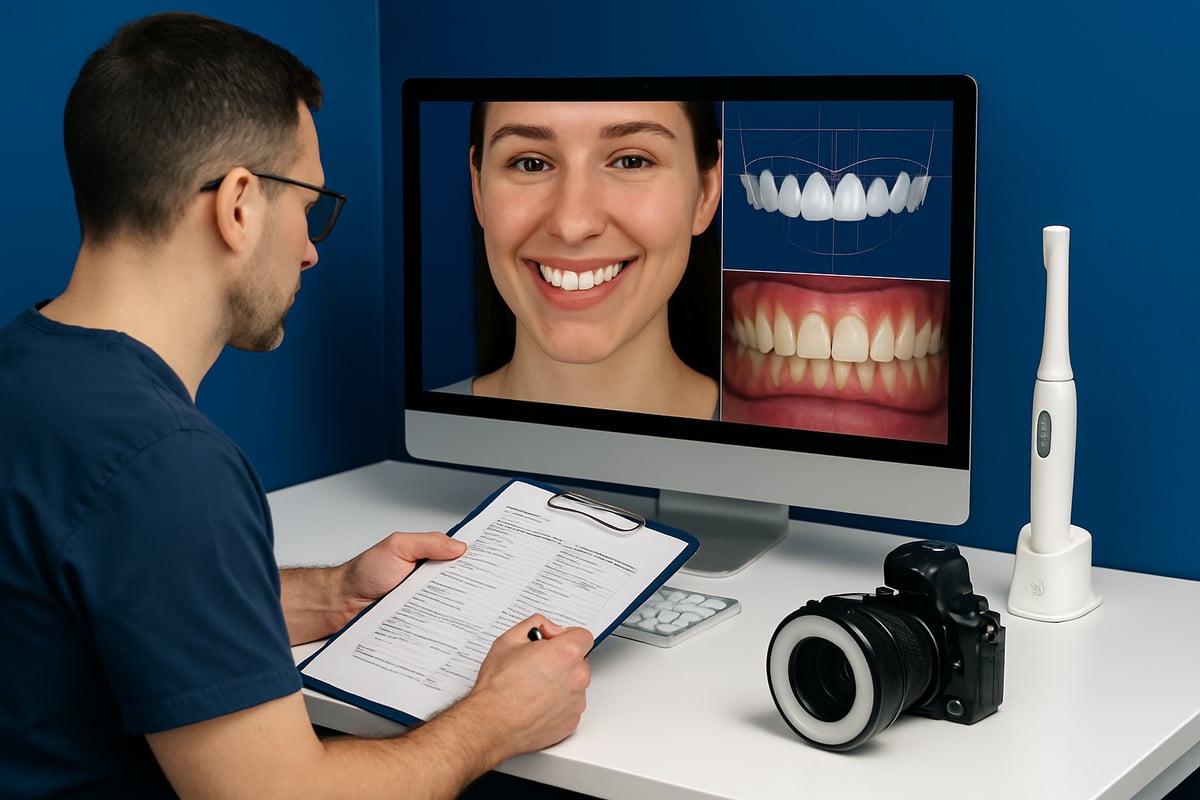
Accurate patient records are the backbone of every exocad smile design project. Start by collecting high-quality photographs, intraoral scans, and radiographs. Use a DSLR camera with standardized settings and consistent lighting for facial and dental photos.
For best results:
- Capture extraoral and intraoral views
- Include retracted and natural smile shots
- Ensure images are in sharp focus and true color
Standardized photography helps maintain consistency, making it easier to align digital records later. Pairing these images with precise intraoral scans sets a solid foundation for your exocad smile design process.
Data Import and Calibration
Once you’ve gathered your records, importing them into exocad smile design must be done carefully. Bring in your 2D and 3D images using supported formats like STL or PLY for scans, and JPEG for photographs.
Calibration is crucial. Align images using facial and dental landmarks, such as the pupils, nose tip, and incisal edges. This step ensures measurements are accurate and the digital design reflects the patient’s real anatomy. For a detailed walkthrough, the Exocad Smile Creator User Guide offers step-by-step calibration and import instructions.
Case Analysis and Treatment Planning
With your records calibrated, analyze the patient’s facial features, dental proportions, and smile line within exocad smile design. Assess symmetry, tooth width-to-length ratios, and gingival display to set realistic treatment goals.
Engage your patient by discussing their aesthetic preferences and expectations. Use digital wax-ups to preview possible outcomes. This visual approach helps patients understand their options, building trust and enthusiasm for the exocad smile design journey.
Common Pitfalls and How to Avoid Them
Even experienced clinicians can face challenges with exocad smile design. The most common pitfalls include:
- Incomplete or low-quality records that limit design accuracy
- Mismatched image scales causing alignment errors
- Skipping calibration steps, leading to unreliable measurements
According to competitor insights, 25% of design revisions stem from poor documentation at the start. Avoid these issues by double-checking your records, maintaining standardized protocols, and verifying calibration before moving to the design phase. Careful preparation is the secret to predictable, beautiful exocad smile design outcomes.
Step-by-Step Exocad Smile Design Workflow
Unlocking the full potential of exocad smile design requires a structured approach and attention to detail at every stage. Below, you'll find a practical, step-by-step workflow designed to help you master the process and achieve predictable, beautiful outcomes for your patients. Let's dive into each phase of the journey.
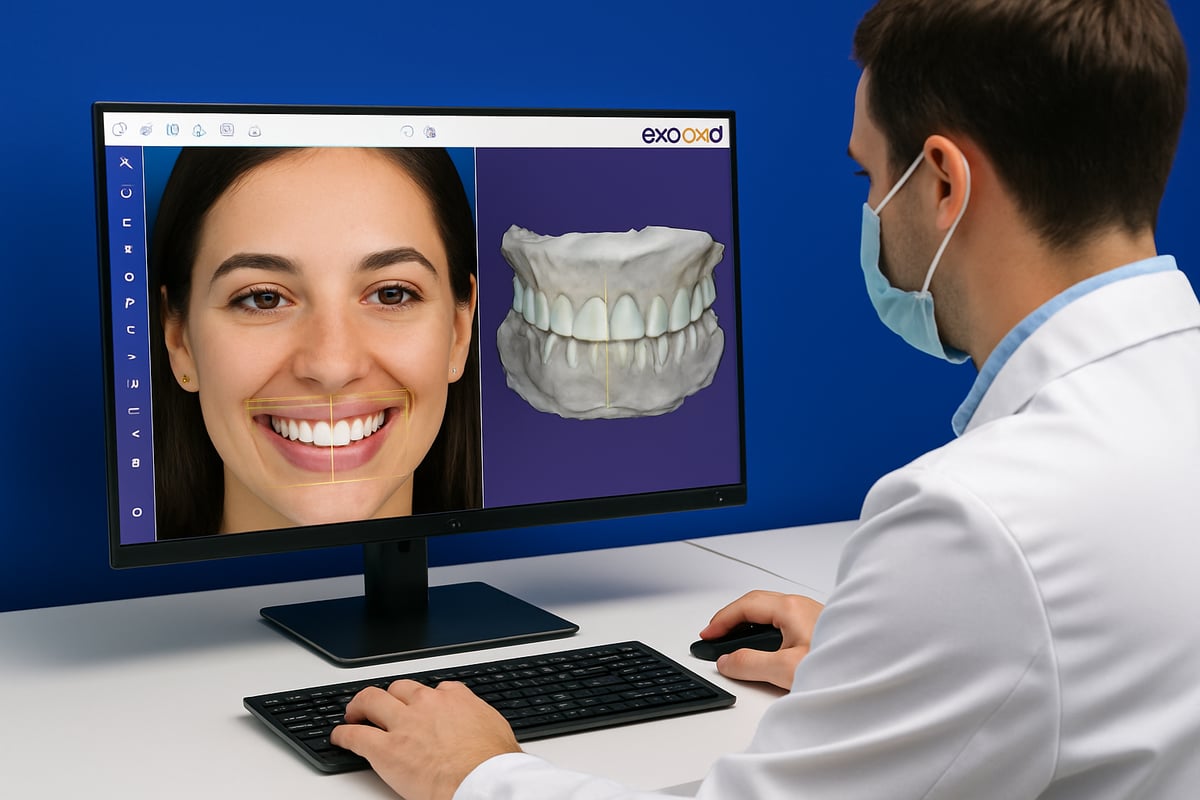
Step 1: Importing and Aligning Patient Data
The first step in exocad smile design is gathering and importing all relevant patient data. Start by uploading high-resolution facial photographs and intraoral 3D scans into the software. This ensures you have a solid foundation for every design decision.
Set up reference points on both the photos and scans. These include the facial midline, pupils, and commissures for facial alignment, as well as the maxillary arch and dental midline for intraoral data. Consistent reference points are key to accurate alignment.
Use the alignment guides within exocad smile design to overlay the 2D and 3D data. Carefully adjust the orientation so that the dental midline matches the facial midline. This step is critical for creating a harmonious and natural-looking result.
- Upload patient photos and 3D scans
- Place alignment reference points
- Overlay and synchronize 2D/3D data
By taking the time to precisely align your images and scans, you lay the groundwork for a successful exocad smile design case.
Step 2: Smile Analysis and Design Planning
Once your data is aligned, exocad smile design allows you to perform a thorough smile analysis. Evaluate facial symmetry, dental midline, smile arc, and lip dynamics. Leverage the software’s digital tools to measure key proportions, such as the golden ratio or ideal tooth widths.
Determine the desired tooth proportions and ideal gingival display, always keeping the patient’s expectations and facial features in mind. Use built-in digital rulers and templates for consistent measurements. This step is where artistry meets science.
What sets exocad smile design apart is its integration of AI-powered analysis tools. These features help automate symmetry checks and suggest optimal tooth positioning, streamlining your workflow and enhancing accuracy. For a deeper look at the latest advancements, see the Exocad AI-Driven CAD Features at IDS 2025 for insights into the most innovative updates in digital smile analysis.
By combining clinical expertise with smart digital tools, you can plan with confidence and set the stage for a stunning smile transformation.
Step 3: Tooth Library Selection and Customization
With your analysis complete, it’s time to select the ideal tooth shapes from the exocad smile design library. The software offers a wide range of dental morphologies, allowing you to choose forms that best match the patient’s anatomy and preferences.
After selecting a base shape, customize the tooth size, contour, and position to achieve a personalized result. Adjust incisal lengths, embrasures, and surface textures to mimic natural teeth. Exocad smile design makes this customization intuitive, supporting both subtle refinements and dramatic changes.
- Browse the extensive tooth library
- Modify tooth contours and dimensions
- Match restorations to patient’s features
Use the real-time preview function to see how your adjustments affect the overall smile. This interactive process ensures you can deliver truly individualized results with exocad smile design.
Step 4: Digital Wax-Up and Mockup Creation
A digital wax-up is essential for visualizing the proposed restorations and planning the clinical steps ahead. In exocad smile design, you can create a detailed digital mockup that simulates the final outcome in both 2D and 3D.
Start by applying your customized tooth shapes to the patient’s model. Refine the morphology and gingival contours for optimal fit and aesthetics. The software allows you to toggle between different restoration types, such as veneers or crowns, to match the treatment plan.
Once the digital wax-up is ready, generate a mockup for patient review or temporary restoration fabrication. Export these files for 3D printing or milling, ensuring a seamless transition from digital planning to physical models.
- Apply tooth shapes to the digital model
- Refine wax-up for natural aesthetics
- Export mockups for clinical use
Digital wax-ups with exocad smile design offer predictability and transparency for both dentist and patient.
Step 5: Visualization and Patient Communication
Effective communication is crucial in exocad smile design, especially when presenting treatment options to patients. Use the software to generate before-and-after simulations that vividly illustrate the planned changes.
Present these visualizations during consultations to help patients understand the proposed outcomes. Interactive features allow you to show different treatment scenarios, fostering trust and informed decision-making. With exocad smile design, patients can visualize their new smile before committing to treatment.
- Create engaging before-and-after images
- Present multiple treatment scenarios
- Enhance patient acceptance and satisfaction
This visual communication not only boosts patient confidence but also increases case acceptance rates, making exocad smile design a powerful practice growth tool.
Step 6: Exporting Designs and Integrating with Lab Workflow
The final step in the exocad smile design workflow is exporting your completed designs for fabrication and lab collaboration. The software supports a variety of industry-standard formats, ensuring compatibility with 3D printers, milling machines, and dental labs.
Common export formats include:
| Format | Use Case |
|---|---|
| STL | 3D printing, milling |
| PLY | Color 3D models |
| DICOM | Integrating radiographic data |
Send the exported files directly to your dental lab, along with detailed notes and reference images. This digital workflow streamlines production, reduces errors, and ensures the final restorations match your exocad smile design precisely.
- Export files in STL, PLY, or DICOM formats
- Collaborate seamlessly with dental labs
- Ensure accurate transfer from digital to physical
By following these structured steps, you can master exocad smile design and consistently deliver outstanding, patient-centered results.
Advanced Techniques and Customization in Exocad
Unlocking the full potential of exocad smile design means venturing beyond basic workflows into advanced customization. By mastering these powerful techniques, you can achieve lifelike results, streamline your process, and offer patients truly personalized smiles.
Custom Smile Design Parameters
With exocad smile design, customization is at your fingertips. Adjust gingival contours, incisal edges, and embrasures to match the patient’s natural anatomy. Advanced layering techniques let you mimic real enamel translucency and shade variation, adding depth to your digital mockups.
For example, creating a natural emergence profile ensures that crowns and veneers blend seamlessly with the gum line. The software’s extensive library of dental shapes makes it easy to select and modify tooth forms for every case. Want to dive deeper into the possibilities? Explore the Exocad Software Modules Overview for a broader look at Smile Creator and related customization tools.
AI-Powered Tools and Automation
AI is revolutionizing exocad smile design by automating routine tasks and providing intelligent suggestions. The software analyzes facial and dental landmarks, then recommends optimal tooth positioning and proportions. This not only speeds up workflows, but also enhances precision.
Automation features like batch processing and one-click alignment help you handle repetitive steps with minimal effort. According to industry reports, AI-powered tools can reduce design time by up to 40%. If you're interested in how AI and imaging are shaping digital dentistry, check out these imaging and clinical AI tools for more insights.
Integration with Other Digital Dentistry Tools
A standout benefit of exocad smile design is its seamless integration with other digital dentistry platforms. You can import CBCT scans for implant planning or export your designs to CAD/CAM systems for fabrication. This interconnected workflow ensures continuity from digital planning to physical restoration.
For instance, combining exocad smile design with Exoplan enables you to plan guided surgeries with exceptional accuracy. Interoperability with popular file formats (STL, PLY, DICOM) means you can easily collaborate with labs and specialists, making the process both efficient and reliable.
Troubleshooting and Common Challenges
Even with robust software like exocad smile design, challenges can arise. Common issues include misaligned images, software glitches, or compatibility problems with imported files. To address these, always double-check calibration and ensure your hardware meets recommended specs.
When data rendering errors occur, restarting the application or updating your graphics drivers can resolve most problems. Regularly clearing cache and keeping your software up to date will also help maintain stability and performance, ensuring smooth operation throughout your workflow.
Staying Updated with Exocad Innovations
The digital dentistry landscape is always evolving, and so is exocad smile design. Stay ahead by exploring new features, plugins, and software updates as soon as they’re released. Participating in user forums and attending training webinars is a great way to learn best practices and discover time-saving tips.
Continuous learning keeps you on the cutting edge, allowing you to offer patients the latest in digital smile design. The more you engage with the exocad community, the greater your expertise and confidence will become.
Expert Tips, Training Resources & Future Trends
Staying ahead with exocad smile design means more than just mastering the basics. To truly excel, dental professionals need to optimize their workflow, invest in ongoing training, embrace emerging trends, and focus on patient satisfaction. Let’s explore proven strategies and insights to help you thrive with exocad smile design in 2025.
Best Practices for Efficient Smile Design
Efficiency is key when using exocad smile design in a busy dental practice. Start by customizing your workspace—set up templates for common case types, and use shortcut keys to save time on repetitive actions. Batch processing allows you to work on multiple cases simultaneously, streamlining your workflow.
Consider using comparison guides like the Top 5 dental software options to benchmark your exocad smile design setup against other leading solutions. This helps identify further optimization opportunities.
Quick Tips:
- Organize patient data into clearly labeled folders.
- Use pre-set templates for common restorations.
- Take advantage of batch import/export features.
- Regularly review workflow analytics to spot bottlenecks.
Optimizing your exocad smile design process maximizes productivity and consistency across all cases.
Training, Certification, and Support
Continuous learning is essential for mastering exocad smile design. Official Exocad training programs offer structured courses and hands-on certification, ensuring you stay current with the latest tools and features.
Join online forums and community groups to exchange tips, troubleshoot challenges, and stay updated on software updates. Many dental professionals also benefit from attending webinars and interactive workshops, which provide deep dives into advanced features.
Ongoing education not only boosts confidence but also ensures consistent, high-quality outcomes for your patients. As exocad smile design evolves, so should your skills and knowledge.
Future Trends in Digital Smile Design
The future of exocad smile design is shaped by rapid advances in artificial intelligence and cloud-based collaboration. Predictive AI tools are making real-time patient feedback and treatment simulation possible, allowing for more personalized and engaging consultations.
Cloud platforms enable seamless teamwork between dentists, specialists, and labs, regardless of location. According to recent academic surveys, 75% of new dental graduates are now trained on digital smile design tools, highlighting the shift toward digital-first practices.
Staying informed about these trends ensures your practice remains competitive and ready for the next wave of innovation in exocad smile design.
Maximizing Patient Satisfaction and Practice Growth
Using exocad smile design as a marketing tool can significantly boost patient acceptance and referrals. High-quality visualizations make treatment options clear and compelling, increasing trust and enthusiasm.
Encourage patients to provide feedback after their smile design experience. Integrate this feedback into continuous process improvements, refining both your technical skills and patient communication.
Real-world examples show that clinics leveraging exocad smile design for case presentations see higher rates of acceptance and more word-of-mouth referrals. Focusing on patient satisfaction not only elevates your reputation but also drives sustainable growth.